
Bring your scores
Import your PDF scores and organize your library for your next lesson, rehearsal, or set.
Made for your music
Your hands belong on your instrument. Open your PDF scores, turn pages with a light foot tap, and pick up exactly where you left off.
Explore the features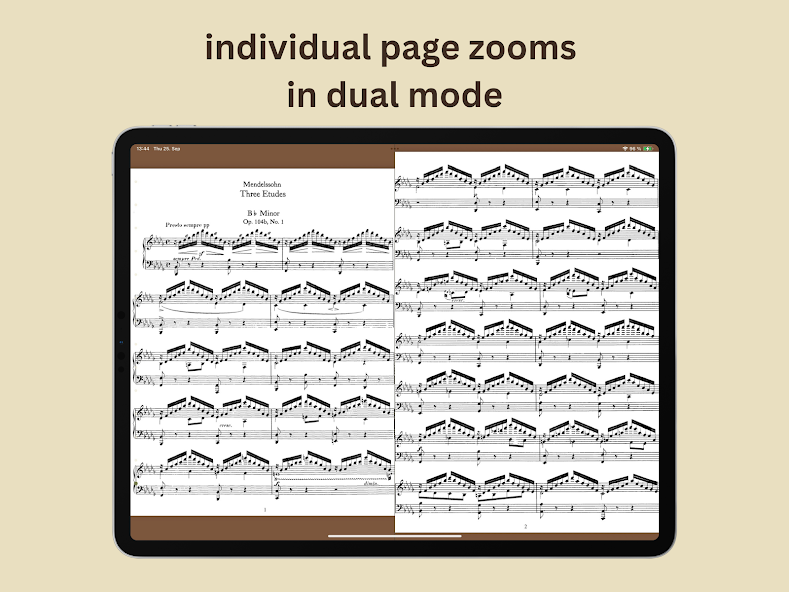
Small details. A big difference.
The best tools let you forget they’re there. Explore the details that make your next rehearsal feel a little easier.
A light foot tap on the music stand can turn the page. Set motion sensitivity to suit your setup, test it, and keep your hands where the music happens.
Learn more
From PDF to your first note
Import your PDF scores and organize your library for your next lesson, rehearsal, or set.
Choose your zoom, set your bookmarks, and arrange pages in the order you want to play them.
Test your page-turn setup, take a breath, and start playing. Your settings will be ready for next time.
No. Motion detection can turn a light foot tap on your music stand into a page turn. Your device needs to pick up the stand’s movement. Adjust the sensitivity to your setup and test it before playing. You can also pair a second phone as a wireless controller.
Yes. Import your PDF scores into the library and organize them for lessons, rehearsals, or performances. Read a single page or two pages side by side.
Yes. Each page remembers its zoom, crop, and position, separately for portrait and landscape. In dual-page view, you can adjust the two pages independently.
cmlsijswfr is available for iPad, iPhone, Android phones, and Android tablets. Check the relevant app store for current system requirements and pricing.
For iPad, iPhone & Android
Bring your PDFs. Set things up your way. Then let the music take over.