
Set it once, keep playing
PDF scans are rarely consistent from page to page.
Scanned sheet music often changes margins, paper size or placement within the same score. One global zoom level either leaves too much empty border or cuts off useful notation on individual pages.
cmlsijswfr treats every score page as its own view. Choose the scale and framing that make the notation fill the available screen. That setup stays attached to the page instead of disappearing when you turn away or reopen the document.
Zoom, framing and position stay together.
The app remembers more than magnification. The panned framing and page position are saved as well. The next rehearsal begins with the view that already worked, rather than another round of pinching and dragging.
- Individual zoom for every PDF score page
- Saved framing and page position
- Separate views for portrait and landscape
- Restored page views when the score is reopened
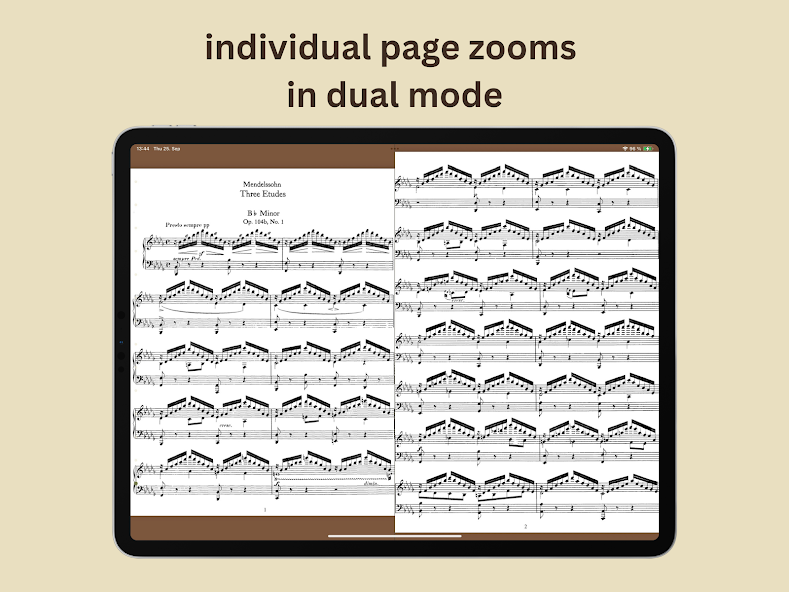
Independent zoom in dual-page view.
Two score pages can be displayed side by side in landscape. The left and right page still keep independent settings, which is useful when pages were cropped differently or combined from more than one source.
The result is a calm, consistent reading view. Each page uses the space it needs without forcing the neighboring page to share the same zoom.